ASL video translation converts a source script into American Sign Language grammar, then renders it on video through a filmed interpreter or an animated avatar. Avatars help with short, repeatable content; they struggle with grammar, facial markers and community trust.
What is ASL video translation?
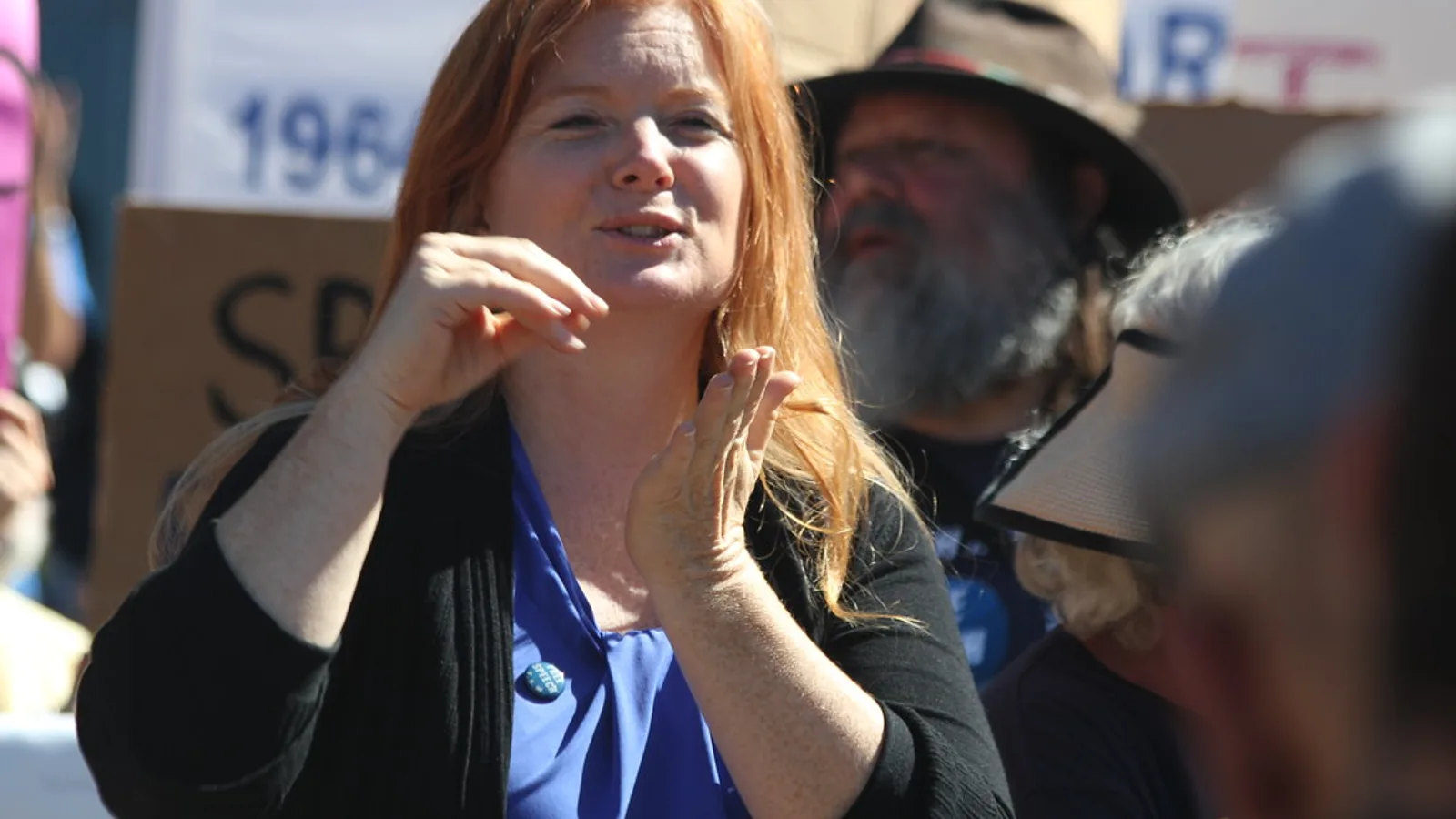
Definition: ASL video translation renders spoken or written source material into American Sign Language on video, delivered by a filmed human interpreter or an animated signing avatar, usually inset beside or over the original footage.
Most teams meet this format through a compliance review or a request from a deaf employee. The video already has captions. Someone asks why captions are not enough, and the answer reshapes the whole production plan.
Captions are English text. For a viewer whose first language is ASL, reading English captions is reading a second language, at the pace the editor chose. A signed track removes that extra step.
What usually counts as ASL video translation:
- A picture-in-picture interpreter track synced to the original timeline
- A full-frame ASL version of the video, with the source audio kept
- An avatar-rendered signing track generated from a translated script
- An ASL-first original, filmed with a deaf presenter and voiced afterward
What does not count: auto-generated captions, English subtitles, a downloadable transcript, or an AI-dubbed Spanish audio track. Each of those serves a different audience, and swapping one for another is the most common mistake in accessibility planning.
Why ASL is a separate language, not signed English
ASL has its own grammar, vocabulary and spatial syntax. It is not English delivered through the hands. Treating it as a word-for-word transcoding is where most low-quality signing output goes wrong.
Three structural differences shape every translation decision:
| Feature | English | ASL |
|---|---|---|
| Word order | Subject-verb-object, fixed | Topic-comment, flexible |
| Grammar carried by | Word endings, auxiliaries | Space, movement, non-manual markers |
| Questions | Word order plus intonation | Eyebrow position, head tilt, held gaze |
Non-manual markers do grammatical work. Raised eyebrows can mark a yes/no question. A furrowed brow with a head tilt can mark a wh-question. A mouth morpheme can change the size, intensity or ease of an action.
Signed Exact English and other manually coded English systems exist, but they are codes for English, not ASL. If your reviewer asks for "sign language" without specifying, confirm which one the audience actually uses. For deaf audiences in the United States and much of Canada, ASL is the default answer, and other countries use entirely different signed languages — British Sign Language is unrelated to ASL despite the shared spoken language.
How ASL video translation works: three stages
Every pipeline, human or synthetic, runs the same three stages. Skipping one shows up immediately on screen.
Stage 1 — Source transcript. Lock the script before anything else. Clean up the spoken filler, mark speaker changes, note on-screen text that the signer must reference, and flag technical terms that have no established sign so the translator can plan a fingerspelled or explained version.
Stage 2 — ASL translation. A fluent translator, usually a deaf native signer working with a hearing colleague, restructures the content into ASL grammar. This is where topic-comment order, spatial referents and classifier constructions get assigned. A good translation of a two-minute script can take hours and will not match the English timing line for line.
Stage 3 — Signed rendering. The translation is performed on camera or animated. Human filming needs even lighting, a contrasting plain background, clothing that does not blend with skin tone, and framing from mid-torso to above the head so the signing space stays visible.
Shortcuts at stage three cause the worst damage. Academic work published in a special issue on sign language translation and avatar technology notes that splicing together prerecorded sign clips is not a linguistically valid substitute for continuous signing, because clip boundaries cut processes that overlap in time.
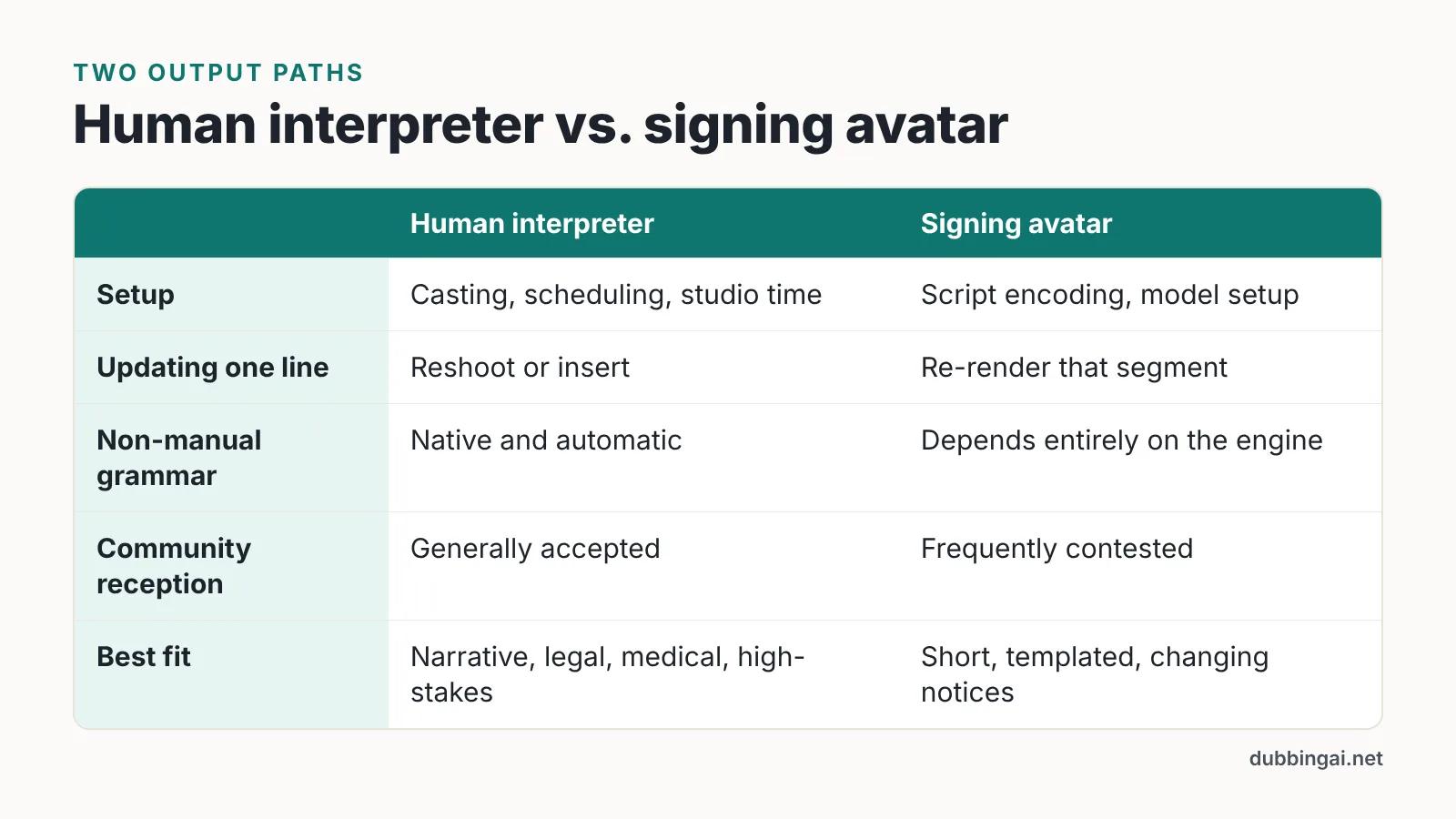
Human interpreter video vs. signing avatars
The two output paths diverge after stage two, and the production work is completely different.
Human interpreter video is a shoot. You book a certified interpreter or deaf talent, prep them with the script and terminology in advance, film against a controlled background, and composite the signer into a corner or side panel in post. Changes mean a reshoot or a patched insert.
Signing avatar video is a render. The translated content is encoded as motion data — either from motion capture of a human signer or from a synthesis engine that assembles movement from a lexicon — and an animated character performs it. Changes mean regenerating a clip.
| Factor | Human interpreter | Signing avatar |
|---|---|---|
| Setup | Casting, scheduling, studio time | Script encoding, model setup |
| Updating one line | Reshoot or insert | Re-render that segment |
| Non-manual grammar | Native and automatic | Depends entirely on the engine |
| Community reception | Generally accepted | Frequently contested |
| Best fit | Narrative, legal, medical, high-stakes | Short, templated, frequently changing notices |
Motion-captured avatars inherit the grammar of the human who performed the capture, which makes them far more reliable than text-to-sign synthesis. That also limits them to what was captured.
ASL video translation vs. captions, subtitles and AI dubbing
These four outputs solve four different access problems, and your legal reviewer may ask for more than one.
| Output | Primary audience | What it produces |
|---|---|---|
| Captions | Deaf and hard-of-hearing viewers who read the source language | Same-language text with speaker IDs and sound events |
| Subtitles | Viewers who do not speak the source language | Translated text, no sound events |
| AI dubbing | Viewers who prefer another spoken language | Synthetic voice track in a target language |
| ASL video translation | Deaf viewers whose first language is ASL | Signed video performance |
AI dubbing platforms have become very good at spoken languages. AI Studios, for example, lists text-to-speech voiceovers in 150+ languages and accents on paid plans and 30+ languages on the Free plan, which covers the spoken side of a global course library. None of that machinery outputs ASL, because signed languages are visual-spatial and have no audio form to synthesize — a point worth making early in budget conversations. If you are already building a multilingual pipeline in a tool like that, treat the ASL track as a separate workstream with its own talent and review loop.
Where avatars help and where they fall short
Avatars earn their place in narrow conditions: short notices, high-frequency updates, templated content where the same sentence patterns repeat, and situations where filming a human for every variation is impossible.
The limits are well documented. The World Federation of the Deaf and the World Association of Sign Language Interpreters state that machine translation has not yet matched human interpreters’ ability to produce live interpretation. Research on signing avatars published through the ACM Digital Library finds the deaf community is often unenthusiastic about them, partly because developers systematically underestimate the linguistic complexity of signed languages.
Data scarcity is the structural problem. According to Axios, NVIDIA’s Signs platform, launched in February 2025, aims to build an ASL training database of 400,000 video clips representing 1,000 signed words. At launch, eWeek reported that the Signs tool covered only 100 signs validated by fluent ASL users — a reminder of how small verified ASL datasets remain next to spoken-language corpora.
Quality of motion matters as much as coverage. Sign language animation researcher Rosalee Wolfe warns that poor-quality avatar motion can wreck comprehension, not just aesthetics. Academic work on sign language translation also notes that signed-language corpora are small and costly to expand, which limits corpus-based translation approaches.
Practical rule: if a misunderstanding would cost someone money, health or legal standing, use a human.
Accessibility rules that shape your choice
Two United States rules drive most ASL video decisions, and they apply to different organizations.
WCAG 1.2.6. In WCAG, providing sign language interpretation for prerecorded audio in synchronized media is Success Criterion 1.2.6 and sits at Level AAA — the highest, least commonly required conformance level, per W3C. Level AAA is rarely mandated wholesale, so ASL tracks are usually a deliberate choice rather than a blanket requirement.
ADA Title II. The US Department of Justice’s 2024 ADA Title II rule set WCAG 2.1 Level AA as the technical standard for web content and mobile apps of state and local government entities. Because 1.2.6 sits at Level AAA, it falls outside the Level AA standard DOJ adopted.
The deadline shift. DOJ’s interim final rule pushed the ADA Title II digital accessibility compliance date for public entities serving 50,000 or more people from April 24, 2026 to April 26, 2027, according to University of Arizona IT Accessibility.
Private employers and businesses fall under different ADA titles and different analysis. State procurement rules and funding agreements may also impose their own signed-content expectations. This is general information, not legal advice — confirm your obligations with counsel.
Practical uses and a workflow
Three content types justify ASL tracks most often: onboarding and compliance courses, support and how-to libraries, and public-sector announcements such as emergency notices, benefits changes and election information.
A workable production sequence:
- Scope by risk. Rank videos by consequence of misunderstanding. Safety, legal and benefits content goes first.
- Lock the script. No ASL work starts on a draft that marketing still edits.
- Translate, then review. Have a deaf translator produce the ASL version and a second deaf reviewer check it before filming.
- Film or render. Match framing, background contrast and signer size to the final player dimensions, not the editing timeline.
- Composite and test. Keep the signer large enough to read on a phone, never cropped at the hands.
- Test with deaf viewers. Our recommendation: put the pilot in front of a small panel of fluent deaf reviewers, who will catch more than any internal checklist.
Budget for maintenance. Every script edit after launch creates a reshoot or re-render, so build a change log and batch updates quarterly rather than patching one line at a time.
Frequently asked questions
Is ASL video translation required by law in the United States?
Not usually as a blanket rule. In WCAG, sign language interpretation for prerecorded synchronized media is Success Criterion 1.2.6 at Level AAA, the highest and least commonly required conformance level, per W3C. The DOJ’s 2024 ADA Title II rule set WCAG 2.1 Level AA for state and local government web content, and a Level AAA criterion sits outside that standard. This is general information, not legal advice.
When is the ADA Title II digital accessibility deadline?
DOJ’s interim final rule pushed the compliance date for public entities serving 50,000 or more people from April 24, 2026 to April 26, 2027, according to University of Arizona IT Accessibility, which addresses entities of that size. Private businesses fall under different ADA titles with different analysis.
Can a signing avatar replace a human ASL interpreter?
Not for high-stakes content. The World Federation of the Deaf and the World Association of Sign Language Interpreters state that machine translation has not yet matched human interpreters’ ability to produce live interpretation. Avatars fit short, templated, frequently updated notices where filming every variation is impractical, and even then they need review by fluent deaf signers before publishing.
Why can’t AI dubbing tools generate ASL?
Dubbing engines synthesize audio, and ASL has no audio form — it is a visual-spatial language carrying grammar through handshape, movement, space and facial markers. A platform may offer text-to-speech in 150+ languages and still produce zero signed output. ASL requires a separate translation and rendering workflow with deaf translators.
Why are signing avatars still limited technically?
Training data is scarce. Axios reported that NVIDIA’s Signs platform, launched in February 2025, aims to build an ASL database of 400,000 video clips covering 1,000 signed words, while eWeek noted the tool covered only 100 validated signs at launch. Academic work also warns that splicing prerecorded clips is not a linguistically valid substitute for continuous signing.
Sources
- Understanding Success Criterion 1.2.6: Sign Language (Prerecorded) — W3C
- DOJ Issues Interim Final Rule on Title II Digital Accessibility Compliance Dates — University of Arizona IT Accessibility
- Nvidia unveils Signs, an AI tool to teach American Sign Language — Axios
- Nvidia’s Signs AI Teaches American Sign Language — eWeek
- WFD and WASLI Issue Statement on Signing Avatars — World Federation of the Deaf
- Contrasting Technologists’ and Activists’ Positions on Signing Avatars — ACM Digital Library
- The myth of signing avatars — Proceedings of the 18th Biennial Machine Translation Summit (ACL Anthology)
- Special issue: Sign language translation and avatar technology — ResearchGate
This article was drafted with AI assistance and published by the Dubbing AI Editorial Team after its facts were checked against the sources listed above.