A well-timed 60-second voice-over script runs roughly 130–150 spoken words, split into four timecoded beats, written in two columns — visuals left, narration right — with pause, emphasis and pronunciation marks baked in.
What a Well-Timed 60-Second Voice-Over Script Looks Like (Full Example First)
Below is a finished script for a sixty-second product explainer, formatted the way a narrator, an editor and a text-to-speech engine all need to read it. Say the right column out loud at a conversational pace. It lands near a minute with silence to spare.
| Time | On screen | Voice-over |
|---|---|---|
| 0:00–0:10 | Support inbox filling up, shot over a shoulder | Your team ships a new feature every month. // The help center never catches up. By Friday, support is answering the same question again. |
| 0:10–0:25 | Hands scrubbing a timeline, retake after retake | Writing a fresh walkthrough takes an afternoon you don’t have — screen recording, retakes, editing, // then the whole thing again in Spanish and Japanese. Most teams stop after the English version. |
| 0:25–0:45 | Release notes pasted in, narrator picked, preview plays | Paste your release notes. Pick a narrator. // The script becomes a timed voice-over, synced to your screen capture, before your coffee goes cold. Change one line later and you re-render that line only — no new session, no booking the same voice twice. |
| 0:45–1:00 | Same walkthrough playing in three languages | Your docs ship the day the feature does. // In every language your customers actually use. Start with one walkthrough this week. |
The narration above runs about 130 words, not 180. That gap is deliberate: it is the breathing room that keeps a read from sounding rushed when a narrator takes a real breath at each // mark.
Notice what the right column does not contain. No stacked clauses, no sentence that needs a comma to survive, no number the narrator has to interpret on the fly. Each beat carries one idea and hands off to the next.
The left column is not decoration either. Pairing each line of narration with the shot it sits under is what stops you from writing forty words over a three-second cutaway.
Step 1 — Set Your Word Budget: Why 60 Seconds Means About 150 Words
Time needed: 5 minutes. What you need: your draft, a word counter, a stopwatch.
Count words before you write sentences. A comfortable explainer read sits somewhere between two and two and a half words per second, which puts a one-minute slot at roughly 120 to 150 words once you subtract pauses. Treat 150 as a ceiling you rarely touch, not a target.
People speak far faster than they can be comfortably followed. Research by Romero-Fresco on BBC programmes found speakers reach 245 WPM in interviews, well above comfortable reading and narration speeds. That number is a warning, not a model — an explainer read at interview speed is unlistenable.
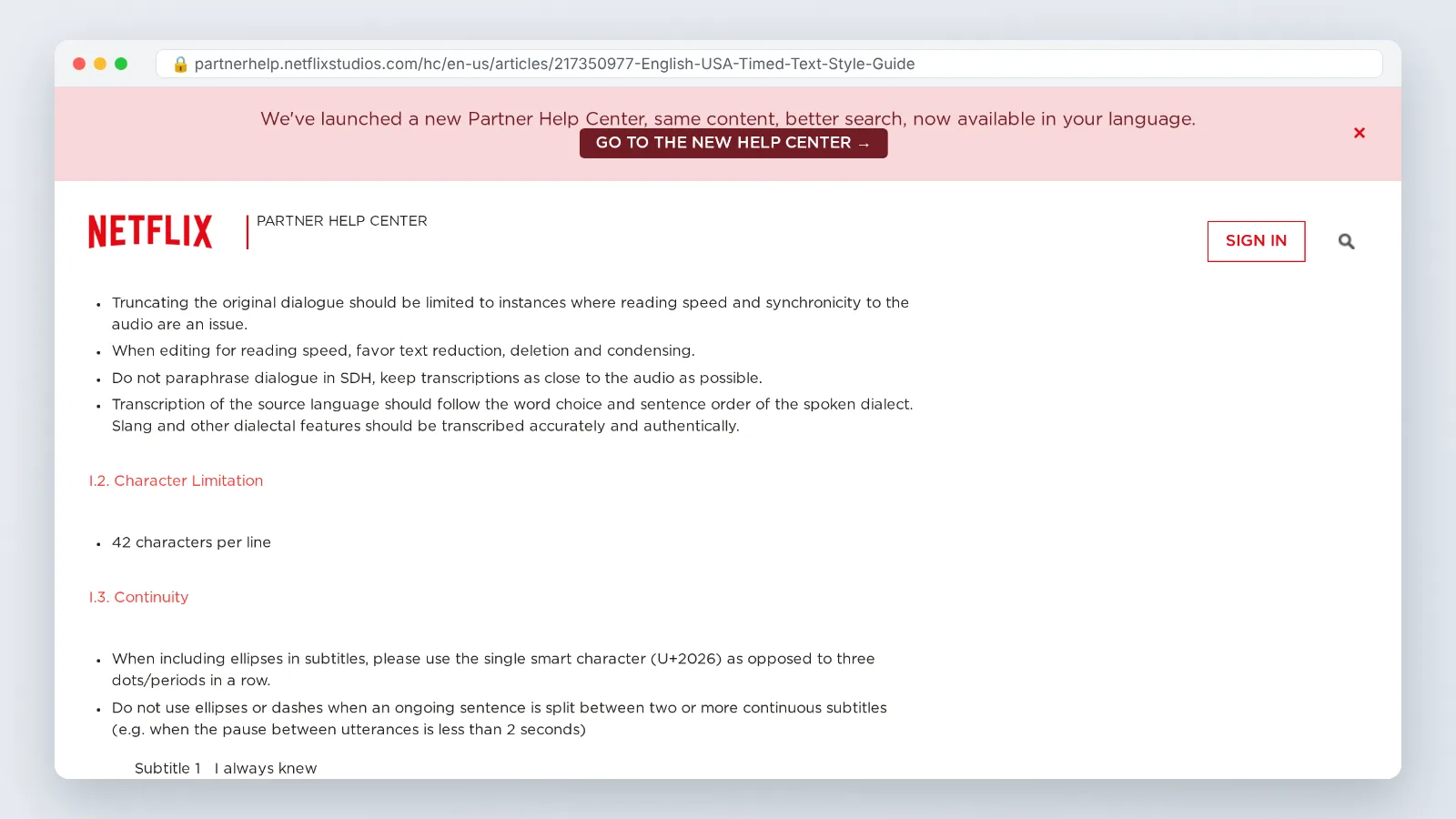
Reading limits set elsewhere in the industry point the same direction. Netflix’s English (USA) Timed Text Style Guide caps subtitle reading speed at 20 characters per second for adult programs, which is a useful outer edge when your narration also has to be mirrored on screen.
Write your draft long, then cut to budget. A first pass at 200 words is normal; the cut from 200 to 140 is where the script gets good, because you delete qualifiers rather than ideas.
Step 2 — Break the Minute Into Timed Beats (0:00–0:10, 0:10–0:25, 0:25–0:45, 0:45–1:00)
Time needed: 10 minutes. What you need: the four-beat grid below and your word budget.
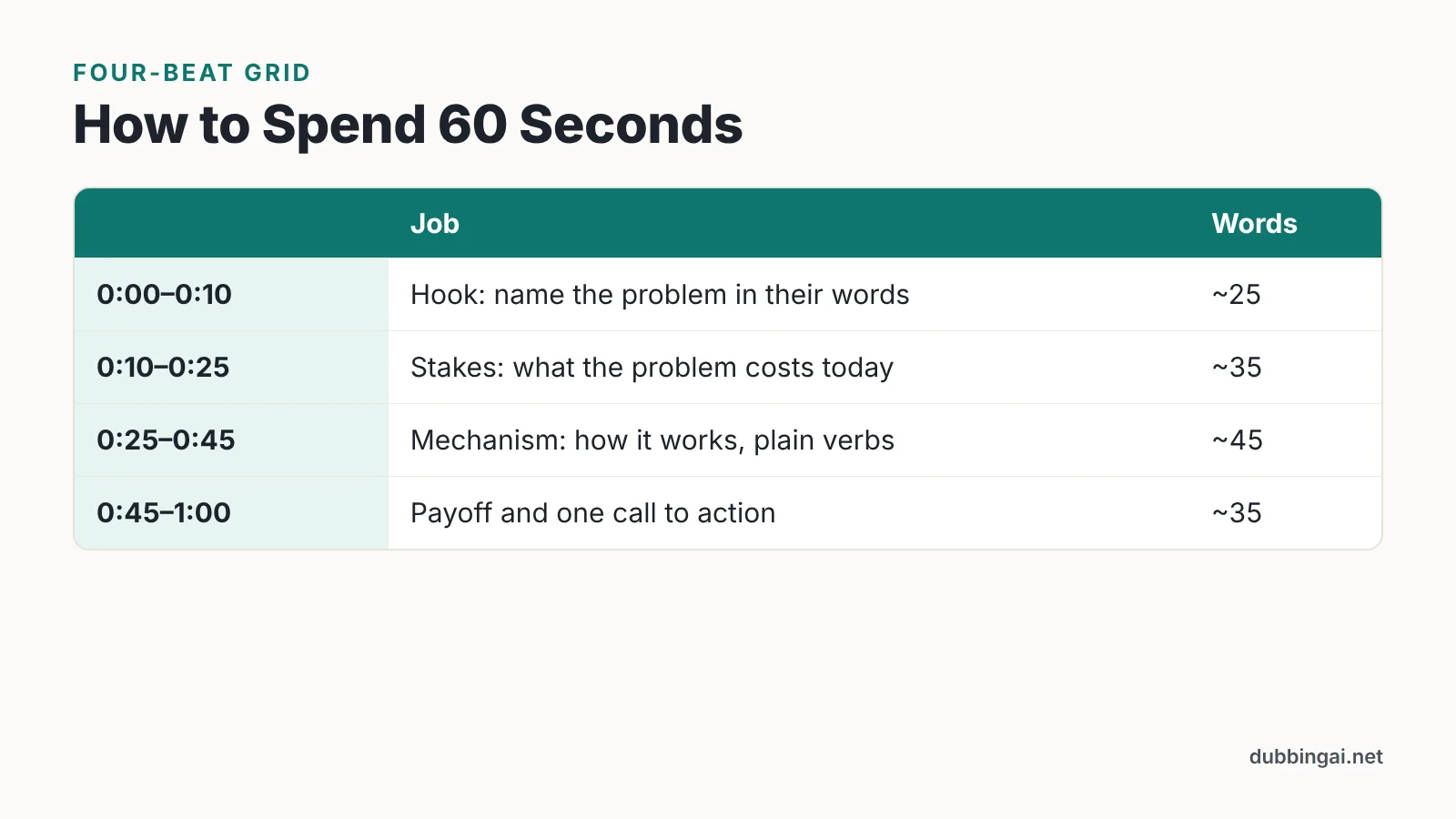
Divide the budget before you divide the time. The grid that holds up across product explainers, course intros and internal announcements looks like this:
| Beat | Job | Word allowance |
|---|---|---|
| 0:00–0:10 | Hook: name the reader’s problem in their words | ~25 |
| 0:10–0:25 | Stakes: what the problem costs them today | ~35 |
| 0:25–0:45 | Mechanism: how the thing works, in plain verbs | ~45 |
| 0:45–1:00 | Payoff and one call to action | ~35 |
Short videos earn their length. Wistia’s 2025 State of Video report found videos under 1 minute reached an 82% engagement rate, versus 58% for videos running 5–30 minutes. Wistia’s 2025 State of Video findings are drawn from more than 14 million videos, 100,000 businesses and a survey of 1,300 professionals.
The first beat is where most scripts leak time. Opening with a company name, a greeting or a definition burns four seconds that the hook needed.
Keep one call to action, in the final beat, stated once. Two asks in sixty seconds produce zero.
Step 3 — Write It in Two Columns: Visuals on the Left, Voice-Over on the Right
Time needed: 20 minutes. What you need: a two-column table in any doc or sheet, plus your shot list.
A single-column script hides timing problems. Two columns force every narration line to answer a question: what is the viewer looking at while they hear this? If the left cell is empty, the line is probably filler.
Formatting rules that keep both columns usable:
- Left column: one shot per row, described as an action, not an adjective.
- Right column: spoken words only — no stage directions mixed into the narration.
- A third narrow column for timecodes if your editor works from timecode rather than row order.
- On-screen text written out exactly as it will appear, so it never duplicates the narration word for word.
On-screen lines have hard ceilings worth borrowing. According to 3Play Media, Netflix limits captions to 42 characters per line, which constrains how much narration can be mirrored on screen at once. Netflix also requires every subtitle event to remain on screen for a minimum of five-sixths of a second, a useful floor when you are timing short on-screen lines against narration.
Ship this two-column file to the voice talent, the editor and the localization lead at the same time. One artifact, three readers, no version drift.
Step 4 — Mark Pauses, Emphasis and Pronunciation So Humans and AI Voices Read It the Same Way
Time needed: 10 minutes. What you need: a consistent mark-up legend at the top of the script.
Mark-up is not decoration — it is the difference between a read that matches your timing math and one that drifts. Pick a legend, put it at the top of the document, and never change it mid-project.
| Mark | Means | Example |
|---|---|---|
// |
Breath pause, roughly half a beat | Pick a narrator. // The script becomes a voice-over. |
/// |
Full stop, scene change | ...in Japanese. /// Most teams stop there. |
**bold** |
Stressed word | Start with **one** walkthrough. |
[say: ...] |
Pronunciation guide | SKU [say: skew] |
[slow] |
Slow the next sentence | [slow] No new session. |
Spell out anything a stranger could misread: product names, acronyms, URLs, abbreviations, and any number you decided to keep. A narrator will ask; a synthetic voice will simply guess and move on.
Synthetic voices follow punctuation more literally than people do, so commas and periods become timing instructions. Platforms such as AI Studios offer more than 1,000 AI voices and text-to-speech in 150+ languages and accents on paid plans, which means the same marked-up script can be auditioned in several reads before you commit to one.
Step 5 — Read Aloud, Time It, and Cut Until It Fits (Plus Headroom for Dubbing)
Time needed: 15 minutes per pass, two or three passes. What you need: a stopwatch, a phone recorder, a quiet room.
Estimating is not timing. Record yourself reading the right column at the pace you actually want on screen, then look at the clock — the gap between your estimate and the recording is usually five to eight seconds, always in the wrong direction.
Cut in this order: adverbs, then qualifying clauses, then the second example, then whole sentences. Never cut the pauses first, because pauses are what make a 130-word script sound unhurried.
Leave headroom if the video will be dubbed. Most languages expand when translated from English, and the ceilings differ by market: Netflix’s Greek Timed Text Style Guide sets lower reading-speed ceilings than English, allowing up to 17 characters per second for adult programs and up to 13 for children’s programs. For English subtitle templates, Netflix allows up to 17 characters per second on adult programs and up to 15 characters per second on children’s programs.
A practical habit: bring the English read in near fifty-five seconds rather than fifty-nine. That four-second cushion absorbs expansion without forcing your dub into a sprint.
The 60-Second Script Checklist: 10 Things to Verify Before You Record
Run these ten checks on the final file. Each one catches a problem that is cheap to fix now and expensive to fix after the session.
- Spoken word count sits under 150 for the full minute.
- The hook lands inside the first ten seconds, with no greeting or company intro ahead of it.
- Every narration row has a paired visual in the left column.
- No sentence carries more than one idea or more than one comma.
- Acronyms, product names and numbers all carry a
[say: ...]guide. - Pause marks sit at scene changes, never inside a phrase.
- On-screen text lines stay short enough to read comfortably and never duplicate the narration verbatim.
- Timing comes from a recorded read-aloud, not an estimate.
- The English read finishes a few seconds short, leaving room for translated versions to expand.
- One call to action appears, once, in the final beat.
If three or more boxes stay unticked, do another cut pass before booking anyone. Scripts fail in the booth for reasons that were visible on the page.
Common Mistakes That Wreck Voice-Over Timing (and How to Fix Them)
The failure you will meet most often: the script reads fine silently, runs eight seconds long out loud, and gets rescued by speeding up the narrator. The read turns breathless, the pauses vanish, and the on-screen text now flies past faster than anyone can follow. Fix it by cutting words, never by raising the pace — speaking faster is how narration drifts toward the 245 WPM that Romero-Fresco measured in BBC interviews, which no viewer can comfortably follow.
Four more that show up repeatedly:
- Stacked subordinate clauses. A human narrator can hold them together with intonation; a synthetic voice flattens them. Split into two sentences.
- The late call to action. Anything introduced after the fifty-five second mark gets clipped by the outro. Move it into the 0:45–1:00 beat.
- Narration that reads the screen text aloud. The viewer processes one or the other, not both. Let the text carry the label and the voice carry the reason.
- No pronunciation pass. One unfamiliar product name triggers a retake, and retakes cost more than the ten minutes the pass would have taken.
Rewrite the script after the first recorded read, not before. The page lies about timing; the stopwatch does not.
Frequently asked questions
How many words should a 60-second voice-over script be?
Aim for 130 to 150 spoken words. That range leaves room for breaths and scene-change pauses at a conversational pace. Pushing past 150 forces a faster read, and research by Romero-Fresco on BBC programmes found speakers reach 245 WPM in interviews — a speed no explainer viewer can comfortably follow.
What does a two-column voice-over script actually look like?
The left column lists one shot per row described as an action; the right column holds spoken words only, with no stage directions mixed in. Add a narrow timecode column if your editor cuts from timecode. The pairing stops you writing forty words over a three-second cutaway.
How do I mark pauses and pronunciation so an AI voice reads it correctly?
Use a fixed legend at the top of the script: double slashes for a breath pause, triple slashes for a scene change, bold for stress, and bracketed phonetic spellings for product names, acronyms and URLs. Synthetic voices follow punctuation literally, so commas and periods become timing instructions.
Will my 60-second script still fit after it is dubbed into another language?
Not automatically — most languages expand when translated from English, so bring the English read in a few seconds short. Reading ceilings also differ by market: Netflix’s Greek Timed Text Style Guide allows up to 17 characters per second for adult programs and up to 13 for children’s programs.
Why write to 60 seconds instead of two or three minutes?
Short videos hold attention better. Wistia’s 2025 State of Video report found videos under 1 minute reached an 82% engagement rate, versus 58% for videos running 5–30 minutes, with findings drawn from more than 14 million videos and 100,000 businesses.
Sources
- English (USA) Timed Text Style Guide — Netflix Partner Help Center
- Timed Text Style Guide: Subtitle Templates — Netflix Partner Help Center
- Greek Timed Text Style Guide — Netflix Partner Help Center
- How to Meet Netflix Closed Captions Specifications — 3Play Media
- Key Takeaways from Wistia’s 2025 ‘State of Video’ Report — CMS Critic
- Why professional subtitles are so much better than copying transcripts into videos — Web-Translations
This article was drafted with AI assistance and published by the Dubbing AI Editorial Team after its facts were checked against the sources listed above.